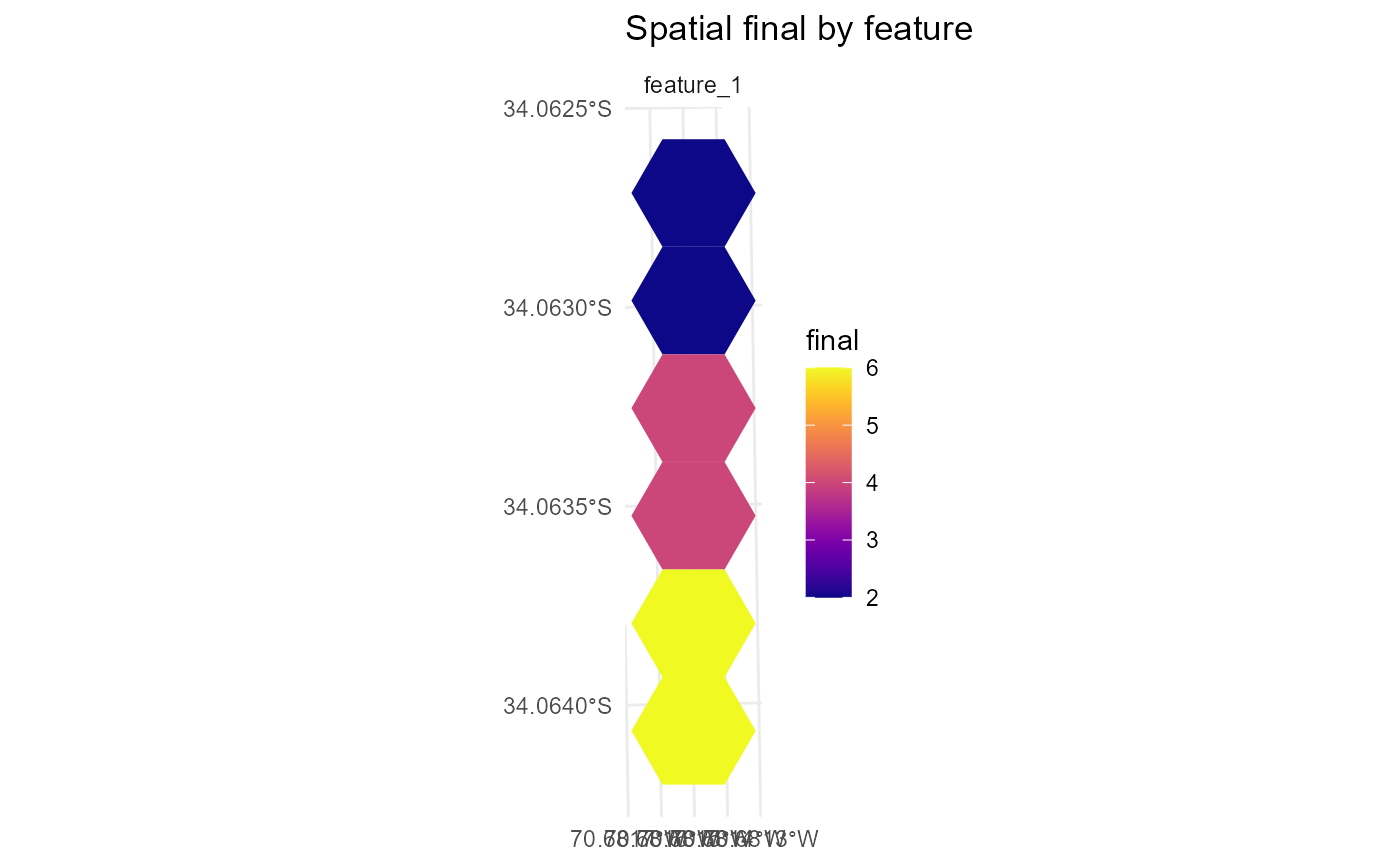
Plot feature values in space from a solutionset-class object
returned by solve.
This function combines baseline feature amounts from the associated
Problem object with positive effects induced by the actions selected
in each stored run to produce planning-unit-level feature maps. Selected
actions are obtained through get_actions.
Usage
plot_spatial_features(
  x,
  solutions = NULL,
  features = NULL,
  value = c("final", "baseline", "benefit"),
  layout = NULL,
  max_facets = 4L,
  ...,
  base_alpha = 0.1,
  selected_alpha = 0.9,
  base_fill = "grey92",
  base_color = NA,
  selected_color = NA,
  draw_borders = FALSE,
  show_base = TRUE,
  fill_na = "grey80",
  use_viridis = TRUE
)
Arguments
- x
A
solutionset-classobject returned bysolve.- solutions
Optional integer vector of solution ids. If
NULL, the first available solution is plotted by default.- features
Optional feature subset to display. Matching is attempted against both feature ids and feature names.
- value
Character string indicating which feature quantity to plot. Must be one of
"final","baseline", or"benefit".- layout
Character string controlling the layout. Must be one of
"single"or"facet". IfNULL, the default is"facet".- max_facets
Maximum number of feature facets shown when
features = NULLand faceting would otherwise create many panels.- ...
Reserved for future extensions.
- base_alpha
Unused in the current feature view, kept for interface consistency.
- selected_alpha
Unused in the current feature view, kept for interface consistency.
- base_fill
Unused in the current feature view, kept for interface consistency.
- base_color
Unused in the current feature view, kept for interface consistency.
- selected_color
Border colour for filled feature polygons.
- draw_borders
Logical. If
FALSE, borders are not drawn.- show_base
Unused in the current feature view, kept for interface consistency.
- fill_na
Fill colour for missing values.
- use_viridis
Logical. If
TRUEand the viridis package is available, use a continuous viridis scale.
Details
For each planning unit \(i\) and feature \(f\), the plotted quantities are: $$ \mathrm{baseline}_{if}, $$ $$ \mathrm{benefit}_{if}, $$ $$ \mathrm{final}_{if} = \mathrm{baseline}_{if} + \mathrm{benefit}_{if}. $$
In the current implementation:
baselineis the summed baseline amount fromdist_features;benefitis the summed positive effect from selected actions;finalisbaseline + benefit.
Negative effects are not subtracted in this plotting method. Therefore,
value = "final" should be interpreted as baseline plus selected
positive effects under the current plotting logic.
If layout = "facet" and only one run is plotted, one panel is drawn
per feature.
If multiple runs are plotted, exactly one feature must be requested, and faceting is done by run.
Planning-unit geometry must be available in the associated problem object.
Examples
if (
  requireNamespace("sf", quietly = TRUE) &&
  requireNamespace("ggplot2", quietly = TRUE) &&
  requireNamespace("rcbc", quietly = TRUE)
) {
  # Load a complete simulated planning problem.
  example_data <- load_sim_multiaction()

  problem <- create_problem(
    pu = example_data$planning_units,
    features = example_data$features,
    dist_features = example_data$dist_features,
    cost = "cost"
  ) |>
    add_actions(
      example_data$actions,
      cost = example_data$action_costs
    ) |>
    add_effects(
      example_data$effect_assumptions
    ) |>
    add_constraint_targets_relative(0.05) |>
    add_objective_min_cost(alias = "cost", include_pu_cost = FALSE) |>
    add_objective_max_effect(alias = "benefit") |>
    set_method_weighted_sum(
      aliases = c("cost", "benefit"),
      runs = set_runs_grid(n = 3),
      normalize_weights = TRUE
    ) |>
    set_solver_cbc(verbose = FALSE)

  solutions <- solve(problem)

  plot_spatial_features(
    solutions,
    features = 1,
    value = "final"
  )
}