Plot pairwise trade-offs among objective values stored in a
solutionset-class object.
This function is intended for workflows in which the solution set contains
one row per run and two or more objective-value columns of the form
value_*.
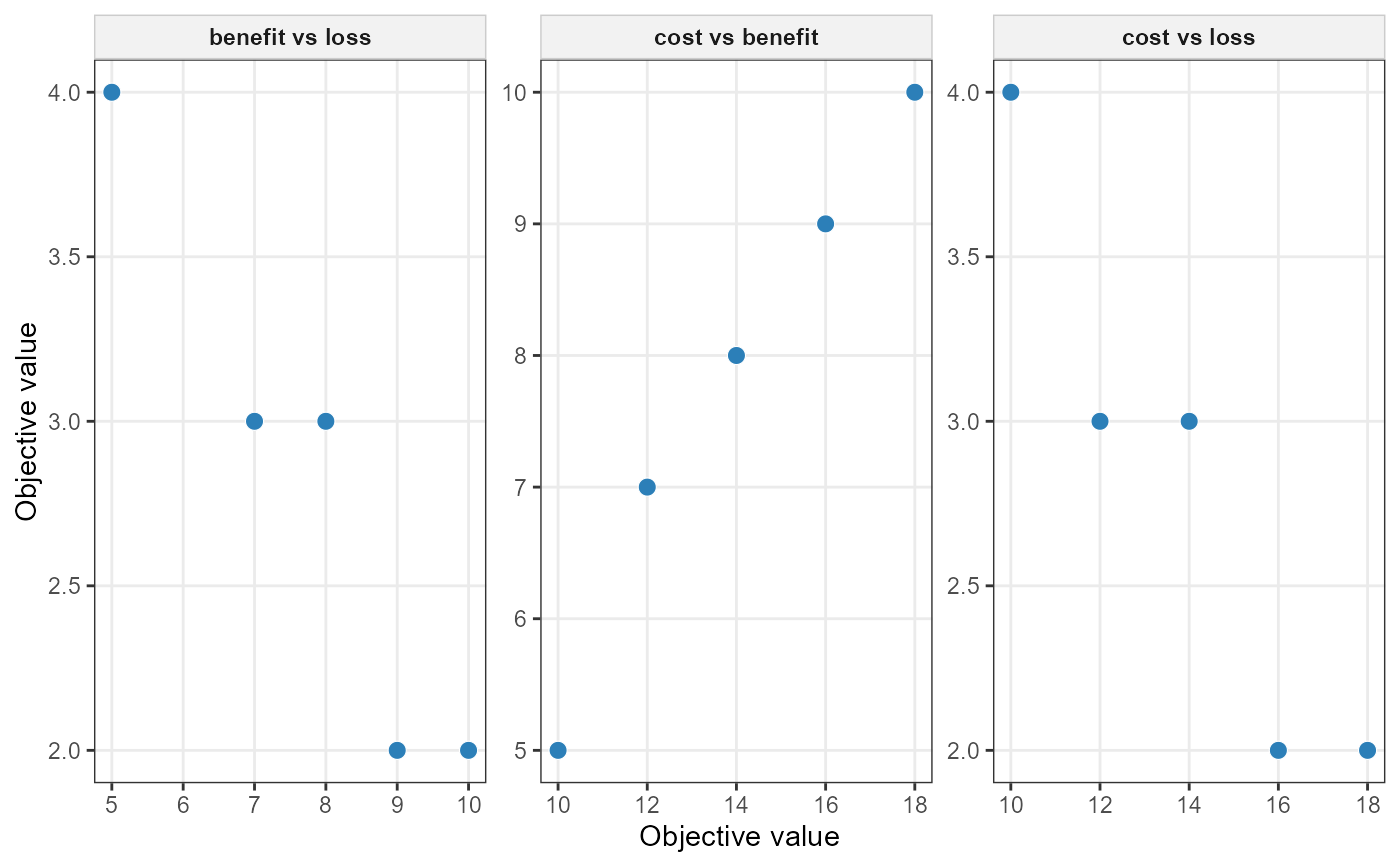
If exactly two objectives are selected, the function returns a single scatterplot. If three or more objectives are selected, all pairwise combinations are plotted using facets.
Usage
plot_tradeoff(
  x,
  objectives = NULL,
  color_by = NULL,
  all_pairs = NULL,
  connect = FALSE,
  label_runs = FALSE,
  point_size = 3,
  line_alpha = 0.5,
  text_size = 3,
  ...
)
Arguments
- x
A
solutionset-classobject.- objectives
Optional character vector of objective aliases to display. These must match the suffixes of the
value_*columns inx$solution$runs. IfNULL, all available objective columns are used.- color_by
Optional character scalar used to colour points. This may be either one of the selected objective aliases or one of the run-level columns
"run_id","status","runtime", or"gap".- all_pairs
Logical. If
TRUE, allow plotting all pairwise combinations even when more than four objectives are selected. IfNULL, it is treated asFALSE.- connect
Logical. If
TRUE, connect points by run order within each panel.- label_runs
Logical. If
TRUE, add run labels to points.- point_size
Numeric point size.
- line_alpha
Numeric alpha value for connecting lines.
- text_size
Numeric size for run labels.
- ...
Reserved for future extensions.
Details
This function reads the run-level table stored in x$solution$runs. It
expects objective values to be stored in columns whose names begin with
"value_".
If the available objective columns are, for example,
value_cost, value_benefit, and value_frag, then the
corresponding objective aliases are "cost", "benefit", and
"frag".
Let \(f_k(r)\) denote the value of objective \(k\) in run \(r\). This function visualizes pairwise projections of the run table of the form: $$ \left(f_k(r), f_\ell(r)\right) $$ for selected pairs of objectives \(k,\ell\).
If exactly two objectives are selected, a single panel is produced.
If three or more objectives are selected, all pairwise combinations are generated: $$ \{(k,\ell): k < \ell,\; k,\ell \in \mathcal{O}\}, $$ where \(\mathcal{O}\) is the selected set of objective aliases.
By default, plotting more than four objectives is not allowed unless
all_pairs = TRUE, because the number of panels grows quadratically in
the number of objectives.
Colouring
If color_by is supplied, points are coloured by either:
one of the selected objective aliases, in which case the corresponding
value_*column is used;or one of the run-level columns
run_id,status,runtime, orgap.
Connecting runs
If connect = TRUE, runs are connected in their current table order
within each panel. This can be useful when runs correspond to an ordered scan
of weights, \(\epsilon\)-levels, or frontier points, but it should be used
with care when run order has no substantive meaning.
Run labels
If label_runs = TRUE, each point is labelled by its run_id. If
the ggrepel package is available, repelled labels are used.
Examples
if (
  requireNamespace("ggplot2", quietly = TRUE) &&
  requireNamespace("rcbc", quietly = TRUE)
) {
  # Load a complete simulated planning problem.
  example_data <- load_sim_multiaction()

  problem <- create_problem(
    pu = example_data$planning_units,
    features = example_data$features,
    dist_features = example_data$dist_features,
    cost = "cost"
  ) |>
    add_actions(
      example_data$actions,
      cost = example_data$action_costs
    ) |>
    add_effects(
      example_data$effect_assumptions
    ) |>
    add_constraint_targets_relative(0.05) |>
    add_objective_min_cost(alias = "cost", include_pu_cost = FALSE) |>
    add_objective_max_effect(alias = "benefit") |>
    set_method_weighted_sum(
      aliases = c("cost", "benefit"),
      runs = set_runs_grid(n = 3),
      normalize_weights = TRUE
    ) |>
    set_solver_cbc(verbose = FALSE)

  solutions <- solve(problem)

  plot_tradeoff(
    solutions,
    objectives = c("cost", "benefit")
  )
}